Skip to form
Auto repair shops

We use Meta and Google measurement tools to understand which ads work. Privacy noticeDo not use my data for advertising

Step 1 of 2

Create your repair shop’s site

Make your services clear to every client. Free to try, no card.

Your business
A few words are enough. Then you change it however you like.

Create and try for freeNo card

Free to create and try, no card required. Choose a plan to publish.

An ordinary day at your shop

This is how your page works while you serve your customers.

Example with a made-up business, not a real client.

  1. 8:30Opening the shop

    A driver checks prices before coming

    They see the diagnostic, oil change and tune-up with prices, and which repairs are quoted after inspecting the car.

    Your catalogExample

    A page for auto repair shops

    • Oil changeBooked with a time
    • BrakesQuoted in the chat
    • Car batteryBought in the cart (Pro)
  2. 11:40Under a car

    Another books an oil change

    They pick the day and time to drop off the car. You confirm it from your phone and the day before they get an email reminder.

    Your calendarExample

    Book an appointment

    ServiceOil change
    10:0012:0016:00

    Only the times you opened show up.

    It reaches you to confirm.

  3. 16:05Still on the cars

    Someone asks how much new brake pads cost

    Your page explains it is quoted after inspecting the car and leaves you their details and car model.

    Your page’s chatExample

    How much do new brake pads cost?

    It depends on the car and the rotors. Leave your details and your car model, and this example shop will contact you:

    Example with a made-up business. Your page answers with what you give it.

  4. 21:30Closing the shop

    Someone buys a car battery

    With the Pro plan, they pay for it on your page and pick it up at the shop. The order reaches you.

    An orderPro

    Their cart

    • Car batteryQuantity: 1
    1. They order from your page
    2. The order reaches you

    With the Pro plan. To take payments online you connect your payment account, which charges its own fee.

You are under the car. Your page greets the next customer.

Every booking and quote request waits on your phone with the car details.

Create my free demo

What your page does for you

See it working with your details before you pay.

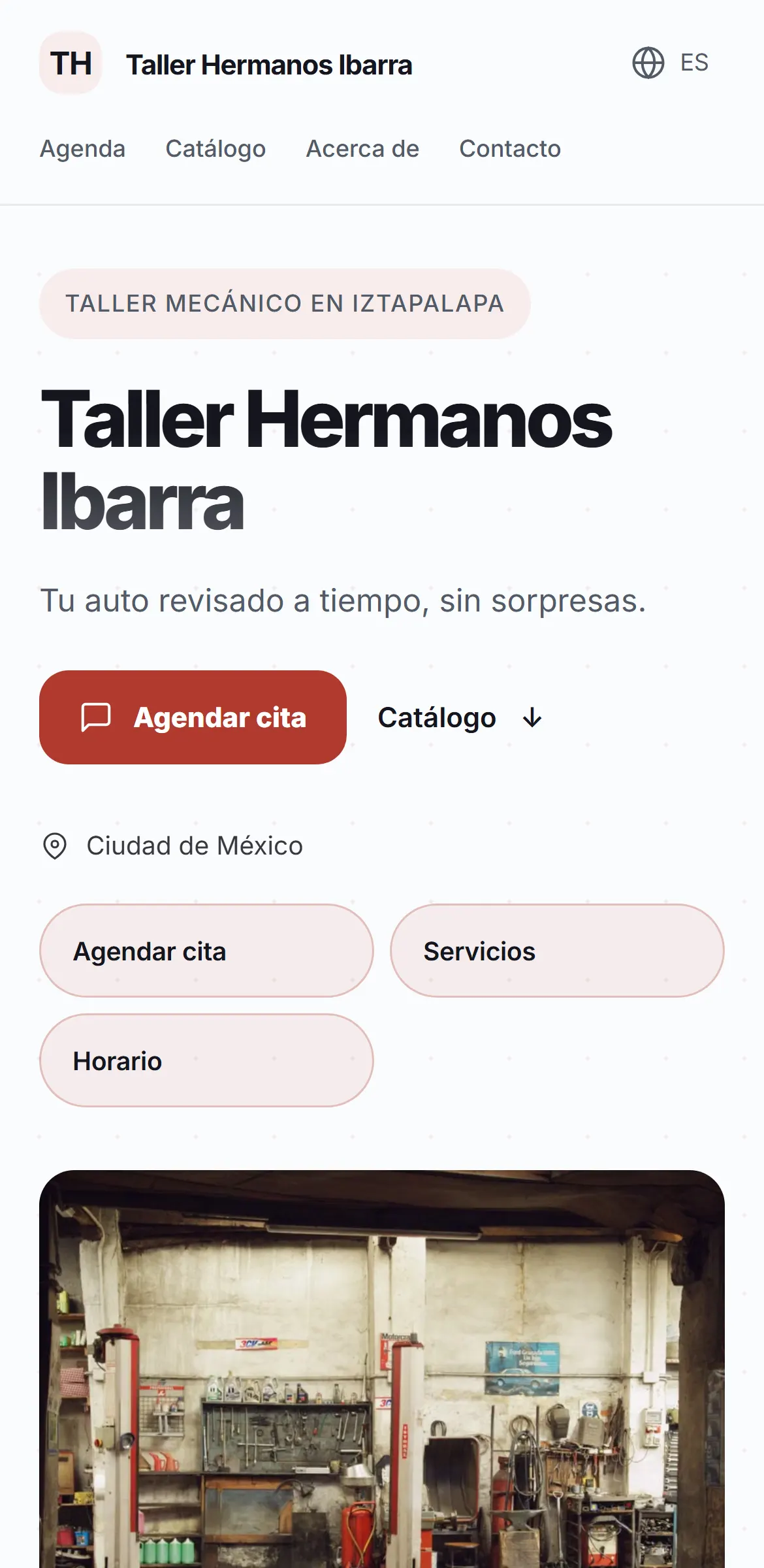
Site screenshot
  • Your page, with your name

    Your photos, hours and address in one link for Instagram, Facebook and your business cards.

  • Your services and prices, clear

    Oil change, brakes, car battery: each one with its photo and price. What needs a booking goes in your calendar; what is bought goes in the cart with the Pro plan; what needs a quote is asked in chat.

  • Answers what people always ask

    Hours, prices, where you are, what to bring. It answers with what you teach it, and you can correct it anytime.

  • Your calendar, open at any hour

    They see your open slots and book an appointment. It reaches you and you decide whether to confirm.

  • Every contact is saved

    Name, phone and email of whoever books or asks, in your dashboard, ready for follow-up.

  • Email alerts

    Every new booking reaches you by email. Once confirmed, your client gets a reminder the day before.

  • Get paid when they bookPro

    With Mercado Pago, clients pay the full service when booking and the booking confirms itself. If they don’t pay within 15 minutes, the slot is released.

  • Several calendars, one per personPro

    If there are several of you, each one has a calendar and hours, and clients choose who. Up to 4 calendars.

  • Repairs to quote

    Brakes, suspension or electrical work: your page explains it is quoted after inspecting and leaves you the contact and car model.

  • Sell partsPro

    Oil, filters, batteries and tires are bought on your page. Drivers pay online or in cash and pick up at your shop.

What you can put on your page

A few ideas to start with.

  • Diagnostics. Computer diagnostics, with price and time.
  • Tune-up. Spark plugs, filters and inspection, within your hours.
  • Oil change. Oil and filter without waiting in line.
  • Brakes. Quoted after inspecting; the contact reaches you.
  • Parts.Pro Batteries and oil, bought on your page.
  • Shops with several mechanics.Pro One calendar per mechanic or bay.

Your page vs. answering everything by message

What you getYour pageMessages only
Prices and hours in plain sightYesNo
Answers even when you are busyYesNo
Repairs to quote, with the car modelYesNo
Parts for saleProYesNo
You still serve people in personYesYes

Start free. Pick your plan when it is ready.

Price per site. No contracts, no surprises: cancel anytime.

Create your site and try it fully from your panel, no card. Publish it when you pick a plan.

Básico

They book, you confirm.

$349$199MXN/mo

Launch price for the first 30 new sites.

VAT included.

  • Online booking and an email reminder the day before

  • Formulario y lista de contactos
  • Asistente entrenado con tu información
  • Aviso por correo de cada contacto
  • Tu catálogo o servicios con fotos
  • Tu link publicado y listo para aparecer en Google
  • Charging at booking is Pro
Start free

You pick your plan after seeing your site.

Recommended

Pro

They pay when they book, and it is confirmed.

$599$299MXN/mo

Launch price for the first 30 new sites.

VAT included.

  • Everything in Basic, plus every feature for your industry
  • Cobra el servicio al apartar la cita
  • Varias agendas en paralelo
  • CRM completo: etapas, notas y seguimiento
  • Sin la marca Epic
  • Cobra en línea: pedidos, carrito y pagos
Start free

You pick your plan after seeing your site.

See how your shop’s page would look

We create it with your details and you see all of it before paying.

  1. 1

    Create your free demo

    With your details, in minutes. Try it for 14 days, no card.

  2. 2

    Make it your own

    Change photos, prices and what it answers.

  3. 3

    Publish it when you are sure

    Pick your plan and share your link.

Create my free demo
  • Free to start
  • No card
  • See it complete before you pay